# Describing Modules in SystemVerilog
The fundamental building block of digital circuits in SystemVerilog is the module. A module is a block of SystemVerilog code that describes the digital circuit of some device — for example, a TV remote control:
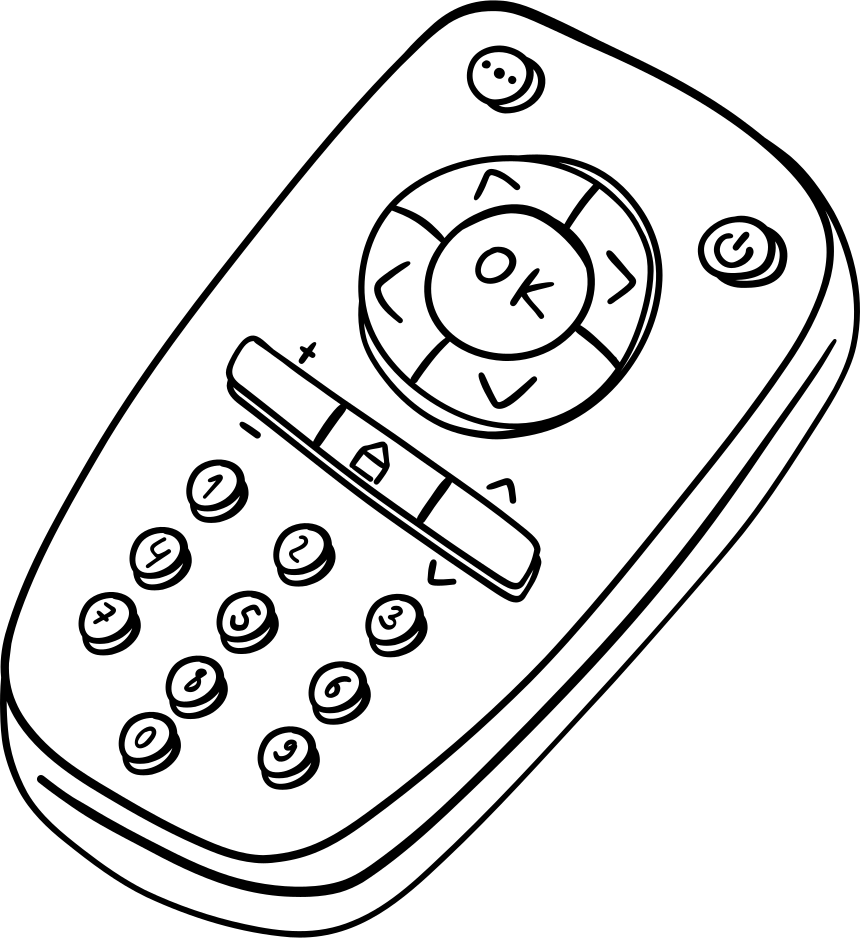 The remote control has input signals — buttons whose presses communicate our intention to change the volume or switch a channel. It also has an output signal from an IR LED, through which the remote sends information to the TV.
To create a module in SystemVerilog, the keywords `module` and `endmodule` are used. They define the beginning and end of the module, enclosing it. These keywords can be thought of as the housing of our device, separating its contents from the outside world.
Let's define our module:
```Verilog
module
endmodule
```
Every module must have a name. Let's call it `box`. Port names, their directions, and types are written inside the parentheses. If a module has neither inputs nor outputs, nothing is written inside the parentheses. A semicolon is always placed after the parentheses.

```Verilog
module box();
endmodule
```
A module with no inputs or outputs (ports) is simply a box that does not interact with the outside world in any way. Let's connect two input signals `a, b` and one output signal `q` to it. To declare ports, you must specify the port direction (input or output) and the type of the signal used. Throughout this lab course, the `logic` type will be used for both inputs and outputs — it will be described in more detail shortly.

```Verilog
module box(
input logic a,
input logic b,
output logic q
);
endmodule
```
Inside a module, signals, parameters, constants, etc. can be declared — none of which are visible to other modules. Let's declare an internal wire `c` inside the module `box`.

```Verilog
module box(
input logic a,
input logic b,
output logic q
);
logic c;
endmodule
```
The keyword (type) `logic` was used to declare wire `c`. This type can ultimately result in either memory elements (registers) or wires, depending on how assignment to an object of this type is described — similar to how stem cells in an organism can differentiate into specialized cells depending on the situation. Therefore, it is not entirely accurate to say that a wire was created in the example above; the circuit object `c` will become a wire once it is connected in a way that corresponds to a wire connection.
Let's connect wire `c` to input `a`. This is done using the construct `assign c = a;`. This construct is called a **continuous assignment**. In simplified terms, a continuous assignment is similar to soldering two wires together. After such an assignment, wire `c` will always have the same value as `a` — whenever input signal `a` changes its value, internal wire `c` will change its value as well (the value of input `a` is **continuously assigned** to wire `c`).

```Verilog
module box(
input logic a,
input logic b,
output logic q
);
logic c;
assign c = a;
endmodule
```
> [!IMPORTANT]
> Note that a `logic` signal declaration cannot be combined with a continuous assignment to that signal. In other words, the signal `c` described above cannot be written in a single line as `logic c = a`. This expression contains no syntax error, but it only means that at the moment signal `c` is created, it will be assigned the value of signal `a`. Any subsequent changes to signal `a` will not be reflected in signal `c` — that is precisely why the continuous assignment operator `assign` is needed.
It should be noted, however, that the soldering analogy has its drawbacks: some students come away thinking that the position of the "soldered" signals relative to the equals sign does not matter — but it does.
A continuous assignment involves two components: the sink expression and the source expression. Typically, the sink expression is a wire (or a group of wires). The source expression can be quite varied. In the example above, the source was also a wire, but it could just as well be a register or an expression built from a chain of arithmetic or logic gates.
It is important to understand that in a continuous assignment, the left-hand side of the equals sign specifies **what we are assigning to**, and the right-hand side specifies **what we are assigning**.
For example, we can assign to wire `c` the output of a logic gate. Suppose we want signal `c` to be connected to the result of the operation `a OR b`.

This circuit can be implemented with the following description:
```Verilog
module box(
input logic a,
input logic b,
output logic q
);
logic c;
assign c = a | b;
endmodule
```
Now suppose there is one more logic gate in the circuit — an XOR gate. It receives the result of the `a OR b` operation (i.e., `c`) as well as input signal `b`. The result of the `c XOR b` operation is driven to output `q` of our module.

```Verilog
module box(
input logic a,
input logic b,
output logic q
);
logic c;
assign c = a | b;
assign q = c ^ b;
endmodule
```
We have now learned how to write a basic module description.
To complete the foundational understanding of modules, one more concept remains to be covered: **vectors**.
## Vectors
In SystemVerilog, a **vector** is a group of wires or registers sharing a common name, which can be used to carry multi-bit numbers or multiple signals that serve a common purpose.
Vector declaration syntax:
The remote control has input signals — buttons whose presses communicate our intention to change the volume or switch a channel. It also has an output signal from an IR LED, through which the remote sends information to the TV.
To create a module in SystemVerilog, the keywords `module` and `endmodule` are used. They define the beginning and end of the module, enclosing it. These keywords can be thought of as the housing of our device, separating its contents from the outside world.
Let's define our module:

```Verilog
module
endmodule
```
Every module must have a name. Let's call it `box`. Port names, their directions, and types are written inside the parentheses. If a module has neither inputs nor outputs, nothing is written inside the parentheses. A semicolon is always placed after the parentheses.

```Verilog
module box();
endmodule
```
A module with no inputs or outputs (ports) is simply a box that does not interact with the outside world in any way. Let's connect two input signals `a, b` and one output signal `q` to it. To declare ports, you must specify the port direction (input or output) and the type of the signal used. Throughout this lab course, the `logic` type will be used for both inputs and outputs — it will be described in more detail shortly.

```Verilog
module box(
input logic a,
input logic b,
output logic q
);
endmodule
```
Inside a module, signals, parameters, constants, etc. can be declared — none of which are visible to other modules. Let's declare an internal wire `c` inside the module `box`.

```Verilog
module box(
input logic a,
input logic b,
output logic q
);
logic c;
endmodule
```
The keyword (type) `logic` was used to declare wire `c`. This type can ultimately result in either memory elements (registers) or wires, depending on how assignment to an object of this type is described — similar to how stem cells in an organism can differentiate into specialized cells depending on the situation. Therefore, it is not entirely accurate to say that a wire was created in the example above; the circuit object `c` will become a wire once it is connected in a way that corresponds to a wire connection.
Let's connect wire `c` to input `a`. This is done using the construct `assign c = a;`. This construct is called a **continuous assignment**. In simplified terms, a continuous assignment is similar to soldering two wires together. After such an assignment, wire `c` will always have the same value as `a` — whenever input signal `a` changes its value, internal wire `c` will change its value as well (the value of input `a` is **continuously assigned** to wire `c`).

```Verilog
module box(
input logic a,
input logic b,
output logic q
);
logic c;
assign c = a;
endmodule
```
> [!IMPORTANT]
> Note that a `logic` signal declaration cannot be combined with a continuous assignment to that signal. In other words, the signal `c` described above cannot be written in a single line as `logic c = a`. This expression contains no syntax error, but it only means that at the moment signal `c` is created, it will be assigned the value of signal `a`. Any subsequent changes to signal `a` will not be reflected in signal `c` — that is precisely why the continuous assignment operator `assign` is needed.
It should be noted, however, that the soldering analogy has its drawbacks: some students come away thinking that the position of the "soldered" signals relative to the equals sign does not matter — but it does.
A continuous assignment involves two components: the sink expression and the source expression. Typically, the sink expression is a wire (or a group of wires). The source expression can be quite varied. In the example above, the source was also a wire, but it could just as well be a register or an expression built from a chain of arithmetic or logic gates.
It is important to understand that in a continuous assignment, the left-hand side of the equals sign specifies **what we are assigning to**, and the right-hand side specifies **what we are assigning**.
For example, we can assign to wire `c` the output of a logic gate. Suppose we want signal `c` to be connected to the result of the operation `a OR b`.

This circuit can be implemented with the following description:
```Verilog
module box(
input logic a,
input logic b,
output logic q
);
logic c;
assign c = a | b;
endmodule
```
Now suppose there is one more logic gate in the circuit — an XOR gate. It receives the result of the `a OR b` operation (i.e., `c`) as well as input signal `b`. The result of the `c XOR b` operation is driven to output `q` of our module.

```Verilog
module box(
input logic a,
input logic b,
output logic q
);
logic c;
assign c = a | b;
assign q = c ^ b;
endmodule
```
We have now learned how to write a basic module description.
To complete the foundational understanding of modules, one more concept remains to be covered: **vectors**.
## Vectors
In SystemVerilog, a **vector** is a group of wires or registers sharing a common name, which can be used to carry multi-bit numbers or multiple signals that serve a common purpose.
Vector declaration syntax:
[:] vector_name
Although any index range can be used (even negative), in practice the least significant index is typically started at zero.
Example:
logic [7:0] sum; // Declares an 8-bit vector named sum of type logic.
                 // Most significant index is 7, least significant is 0.
Using an index, individual bits of a vector can be accessed. Using an index range, a range of corresponding bits can be accessed.
| Code fragment | Description |
|---------------|-----------------------------------------------------------------------------|
| sum[0]; | Access to the least significant bit of vector sum declared above |
| sum[7:5]; | Access to the three most significant bits of the 8-bit vector sum declared above |
| sum[5+:3]; | Access to three bits starting from the fifth (i.e., equivalent to the previous expression; convenient when the starting bit and count are known, and the ending bit is derived from them) |
| sum[7-:3]; | Access to three bits ending at the seventh (i.e., equivalent to the previous expression; convenient when the ending bit and count are known, and the starting bit is derived from them) |
_Table 1. Ways to access individual bits of a vector and ranges of its bits._
Vectors can also be used when describing module ports:
```Verilog
module vector_ex(
input logic [3:0] a, // This module has a 4-bit input 'a'
output logic [7:0] b // and an 8-bit output 'b'.
);
assign b[7:4] = a; // The upper four bits of output b are connected to input a
assign b[3:1] = a[2:0]; // Bits three through one of output b are connected to
// bits two through zero of input a
assign b[0] = a[3]; // The least significant bit of b is connected to the most significant bit of a
endmodule
```
## Module Hierarchy
Modules can contain other modules. When implementing a "Remote Control" module, you might use digital circuits such as an "IR Signal Transmitter" and a "Key Press Controller". Both of these digital circuits can be independent modules that are combined inside a top-level module.
Suppose we have a module `inv` that drives the inverted value of its input to the output, and we want to implement a module `top` that uses the functionality of module `inv` as follows:

Let's describe `inv`:
```Verilog
module inv(
input logic a,
output logic d
);
assign d = ~a;
endmodule
```
Let's describe module `top`:
```Verilog
module top(
input logic a,
input logic b,
output logic q
);
// create auxiliary wire c
logic c;
// module instantiation
inv invertor_1( // instantiate module inv and
// give this instance
// the name invertor_1
.a(a), // connect input 'a' of module inv to
// input 'a' of module top
.d(c) // connect output 'd' of module inv to
// wire 'c' of module top
);
endmodule
```
Note how signals are connected to the instantiated module: after the `.` the name of the port of the instantiated module is written, followed by the name of the connecting module's signal in parentheses. For a better understanding, carefully examine wire `c` and output `d` of module `inv` in the schematic, and compare it with the SystemVerilog description of this circuit.
We can instantiate as many instances of a module as needed, so each instance must have its own unique name. Let `c` be fed into an AND gate together with input `b`. The result of the AND operation is also fed into an inverter, and then to output `q` of module `top`.

In our description, a second instantiation of module `inv` and wire `c` will be added.
```Verilog
module top(
input logic a,
input logic b,
output logic q
);
// create auxiliary wire c
logic c;
// module instantiation 1
inv invertor_1( // instantiate module inv and give it
// the name invertor_1
.a(a), // connect input 'a' of module inv to
// input 'a' of module top
.d(c) // connect output 'd' of module inv to
// wire 'c' of module top
);
// module instantiation 2
inv invertor_2( // instantiate module inv and give it
// the name invertor_2
.a(c & b), // drive the result of the logical
// operation "c AND b" to
// input 'a' of module inv
.d(q) // connect output 'd' of module inv
// to output 'q' of module top
);
endmodule
```
___
## Chapter Summary
1. The key building block in the hierarchy of a digital circuit described in SystemVerilog is the **module**. Modules allow complex digital circuits to be broken into separate blocks, which are then combined to form the final circuit, greatly simplifying development.
2. Conceptually, a module can be divided into the following parts:
1. Module declaration:
1. The keywords `module` / `endmodule` define the boundaries of the module description.
2. The module name, which follows the keyword `module`. The described module represents a distinct type whose name matches the module name.
3. The specification of the module's inputs and outputs (ports), listed in parentheses after the module name. The keywords `input` and `output` are used to specify port direction. After the direction, the port type must be specified (throughout this course, the port type will always be `logic`), followed by its bit width and name.
2. Functional description of the module:
1. Declaration of the module's internal signals (whether wires or registers) using the keyword `logic`.
2. Instantiation of other modules as needed.
3. Description of the functional connections between various signals and objects inside the module being described.
## Check Yourself
How would you describe the circuit shown below in the SystemVerilog hardware description language?
Note that input `a` of module `top` is two bits wide: its bit 0 goes to input `a` of module `or`, and its bit 1 goes to input `b` of module `or`.
